
Glue records are special DNS entries that tell the world the IP address of a nameserver whose name is inside the same domain it's serving. If you've ever wanted branded nameservers like ns1.yourdomain.com instead of our generic ns21.canspace.ca style ones, glue records are what make them work. This article explains what they are, when you need them, and how to set them up — including the self-serve tool in your client area for .ca domains registered with CanSpace.
The chicken-and-egg problem
Imagine your reseller nameservers are ns1.yourdomain.com and ns2.yourdomain.com. To resolve www.yourdomain.com, a DNS resolver needs to ask one of those nameservers. To find those, it needs to look up ns1.yourdomain.com — but that lookup itself depends on knowing where yourdomain.com's nameservers are. It's a loop.
The solution: glue records. The TLD's registry (the .com registry, .ca registry, etc.) stores the IP addresses of ns1.yourdomain.com and ns2.yourdomain.com directly in its parent zone. When a resolver asks the registry "where is yourdomain.com?", the registry responds with both the nameserver names and their IPs in the same answer. The loop is broken.
When you need glue records
You need glue records whenever your nameserver hostname is a subdomain of the domain it's serving:
ns1.example.comservingexample.com— needs glue.ns1.example.comservingotherdomain.ca— doesn't need glue (the resolver can look upexample.comnormally to find its nameservers).
For CanSpace clients, the typical case is reseller hosting on Gold or Titanium plans where you want clients to see ns1.youragency.com instead of our generic ns21.canspace.ca style nameservers.
Set up private nameservers for a .ca domain with CanSpace
If your .ca domain is registered with CanSpace, you can create and manage its private nameservers (glue records) yourself from the client area — no ticket needed.
- Open the Private Nameservers page. Go to Domains, click Manage on your
.cadomain, then choose Manage Private Nameservers from the Manage menu on the left.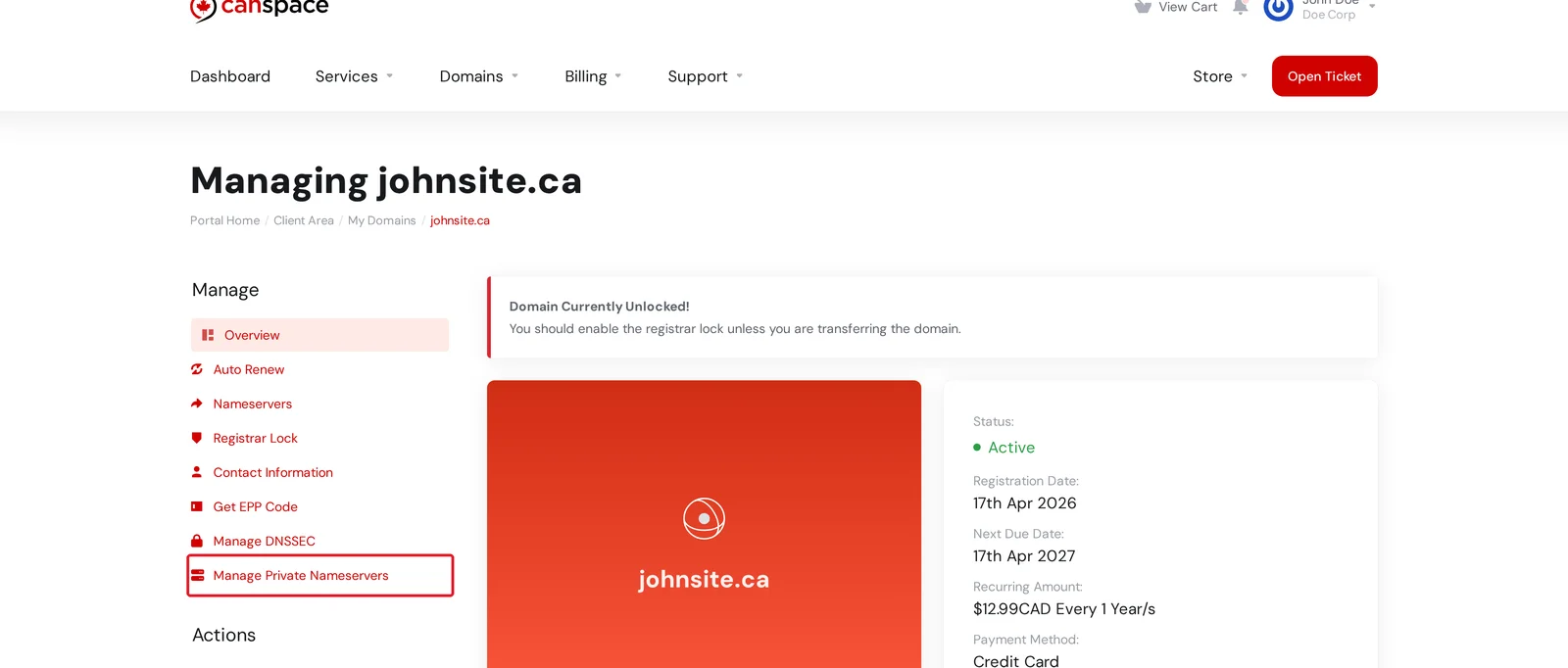
- Add a nameserver. Under Add a private nameserver, enter the nameserver hostname — it must be a subdomain of your domain, for example
ns1.yourdomain.ca— and its IP address, then click Add nameserver. The IP can be IPv4 or IPv6.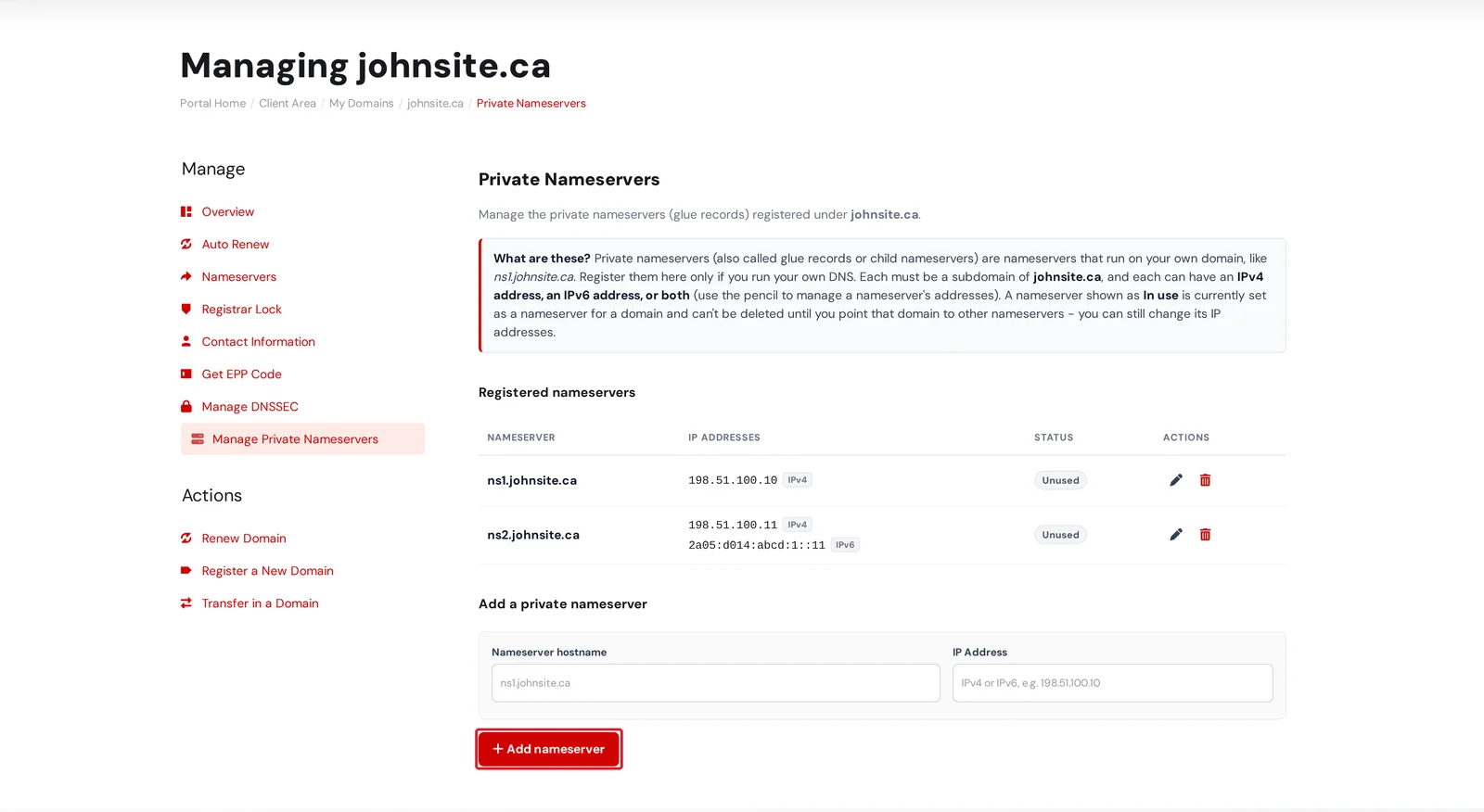
- Give a nameserver a second address (optional). Each nameserver can have an IPv4 address, an IPv6 address, or both. Click the pencil () next to a nameserver to add another address, change an address, or remove one.
- Remove a nameserver. Click the trash icon () to delete a nameserver. A nameserver marked In use can't be deleted until you stop pointing a domain at it — but you can still change its IP addresses at any time.
If your domain has the Registrar Lock turned on, turn it off first (under the Registrar Lock section of the same Manage menu), make your changes, then turn the lock back on.
Other domains registered with CanSpace
For non-.ca domains registered with CanSpace (.com, .net, and so on), open a support ticket and we'll register the glue records with the registry on your behalf. Include:
- Domain name (e.g.
youragency.com) - Nameserver hostnames (e.g.
ns1.youragency.com,ns2.youragency.com) - The IPv4 (and optional IPv6) address for each nameserver
If your domain is registered elsewhere
Glue records are registered at the parent registry — the registrar of the domain that contains the nameserver name. If that domain isn't with us, you'll set them up at your current registrar. The exact menu varies, but the feature is usually under "Manage child nameservers", "Register host", "Glue records", or similar:
- GoDaddy: My Products → Domains → DNS → Host Names
- Namecheap: Domain List → Manage → Advanced DNS → Personal DNS Server
- Squarespace Domains: DNS → Glue Records
- Network Solutions, Tucows, others: search their support docs for "register host" or "glue record"
For each glue record, register the hostname (e.g. ns1.yourdomain.com) with the IP address of the actual nameserver. Most registrars accept up to 13 child nameservers per domain.
How to verify glue records work
From a terminal:
dig +trace ns ns1.yourdomain.com
dig @a.gtld-servers.net ns yourdomain.com
The first command should resolve the nameserver's IP. The second asks the TLD root directly — if glue is set up, you'll see your nameservers and their IPs in the additional section. You can also use an online tool like intodns.com: a missing-glue warning will appear under the parent-zone checks if something's misconfigured.
Related articles
Still stuck? Open a support ticket