
Your nameservers tell the world which servers are responsible for your domain's DNS. Changing them is typically the last step when you move a domain to a new host. This article walks through updating them from your CanSpace client area.
Steps
-
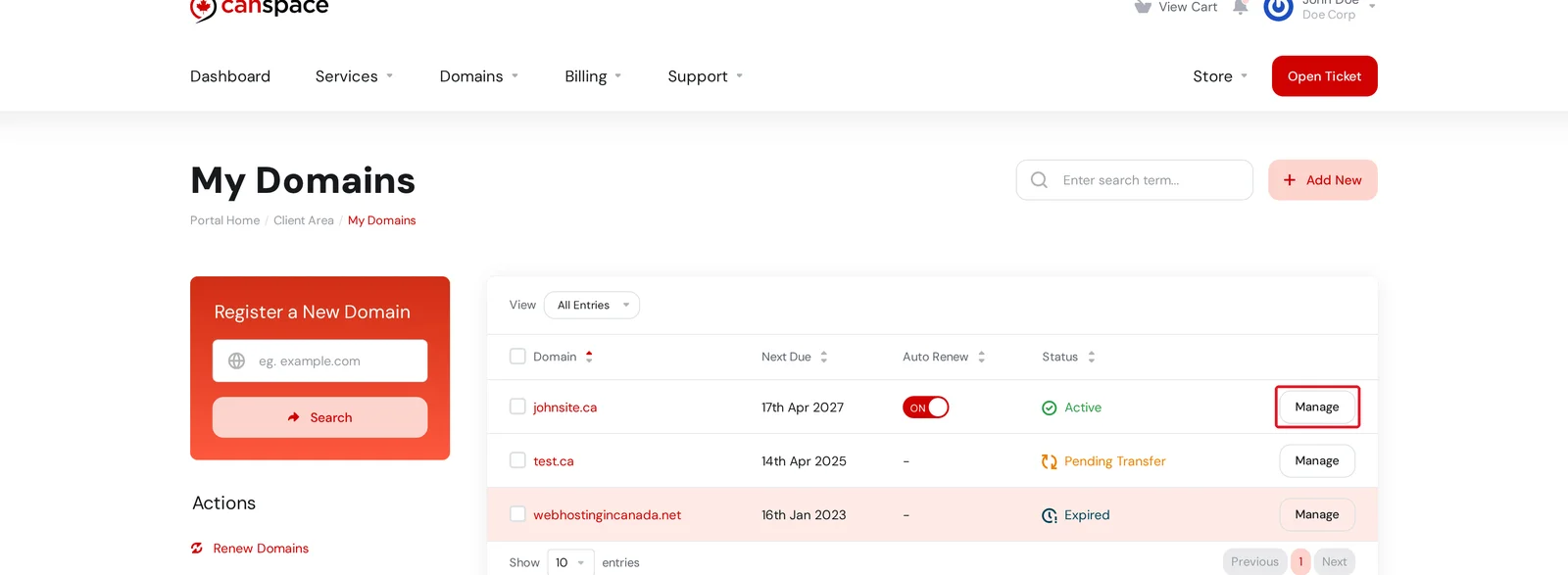
Log in to the client area and open Domains → My Domains. Click Manage on the domain you want to update.
-
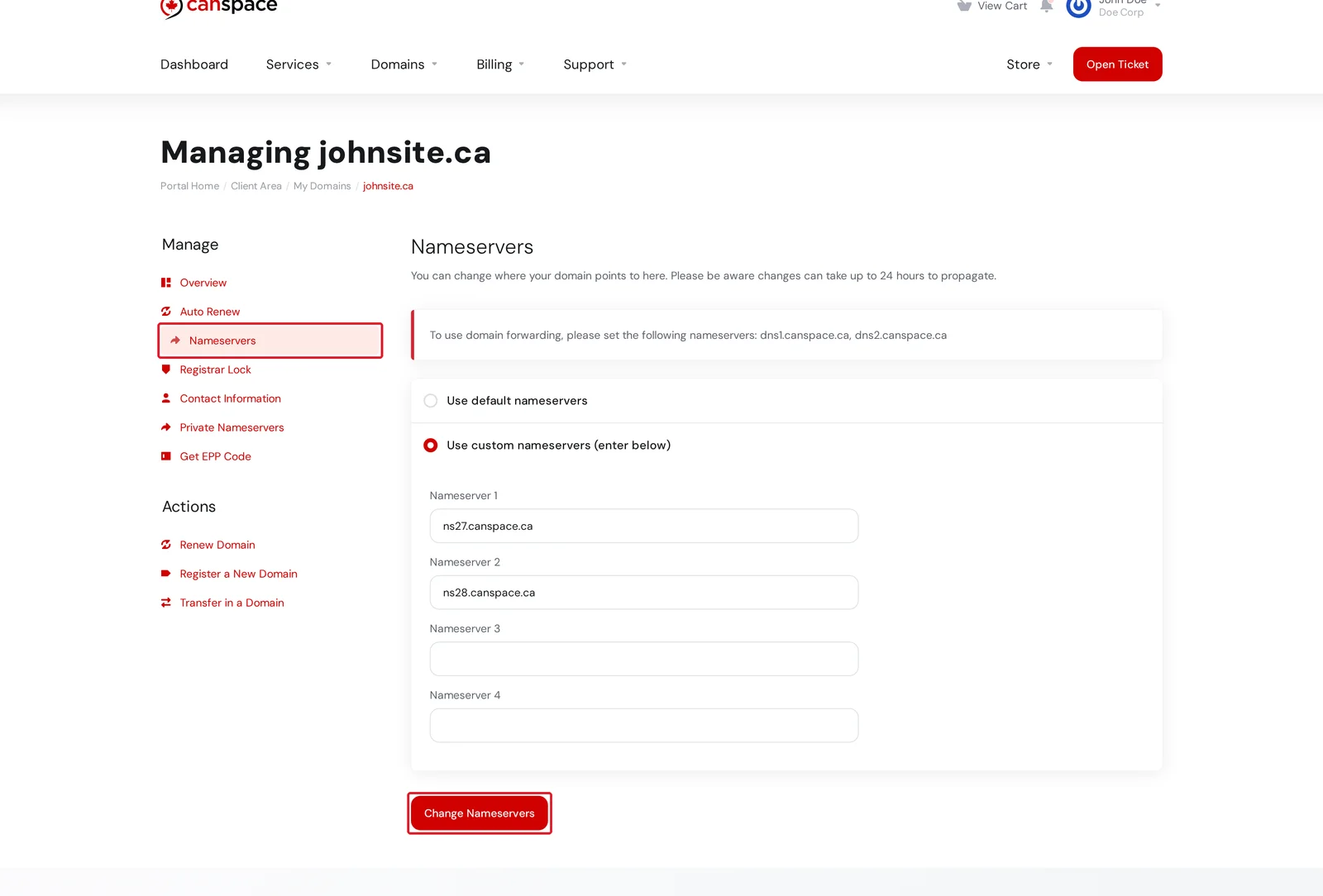
Open the Nameservers tab in the Manage menu on the left. Select Use custom nameservers, enter the nameservers provided by your host (typically two, sometimes more), then click Change Nameservers.
Which nameservers should I use?
If you're keeping your hosting with CanSpace, your hosting server's nameservers were included in your welcome email when your account was set up. They follow a pattern like nsXX.canspace.ca and nsXX+1.canspace.ca. If you can't find the welcome email, open a support ticket and we'll resend it.
If your domain is registered with CanSpace but hosted elsewhere, your new host will have provided the nameservers to use. Enter those instead.
Not working?
- Domain is locked. If the change is rejected, open the Registrar Lock tab and unlock the domain, then try again.
- Invalid nameserver. Nameservers must resolve to an IP address. If you enter a nameserver that doesn't resolve, the change will be rejected.
- Nothing seems to have changed. Check
dig yourdomain.com NS +shortfrom a terminal, or use a tool like whatsmydns.net. Propagation isn't instant.
Related articles
- How do I make bulk changes to multiple domains?
- How do I manage DNS entries?
- How to preview your site before updating DNS
Still stuck? Open a support ticket


