
When DNS isn't doing what you expect — site shows the old server, email goes to the wrong host, an SPF record looks missing — the answer is to check DNS directly with command-line tools or web checkers. This article covers the four tools we use most: dig, nslookup, host, and MXToolbox.
dig +short example.com for the IP, dig MX example.com for mail records, dig NS example.com for nameservers. Or use mxtoolbox.com in a browser if you're not on a terminal.dig (Linux, macOS, WSL)
The most powerful and most readable tool. Available on macOS and any Linux. Windows users can use it via WSL or by installing BIND tools.
Common queries
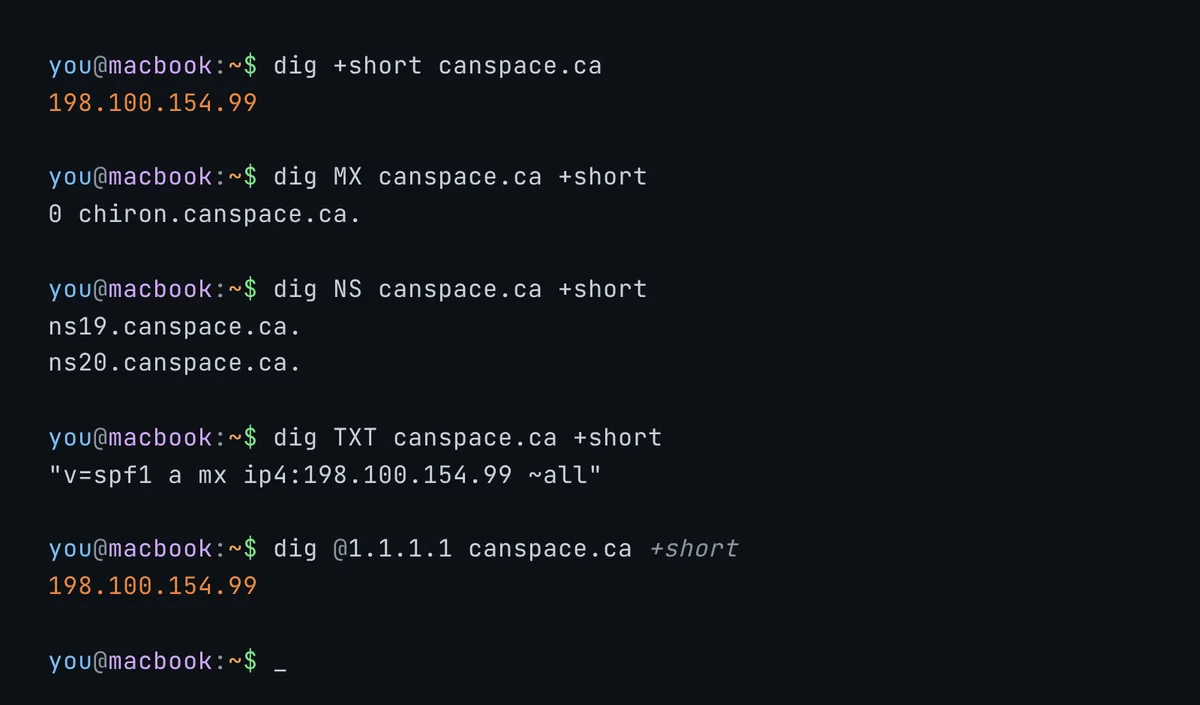
# A record (IPv4)
dig example.com

# Just the answer, no boilerplate
dig +short example.com

# AAAA (IPv6)
dig AAAA example.com

# MX (mail servers)
dig MX example.com

# TXT records (SPF, DKIM, verifications)
dig TXT example.com
dig TXT default._domainkey.example.com

# NS (nameservers)
dig NS example.com

# CNAME
dig www.example.com

# Reverse DNS (PTR)
dig -x 192.0.2.1
Specifying a server
By default, dig uses your local DNS resolver. To bypass caches and ask a specific server:
# Ask Google's public resolver
dig @8.8.8.8 example.com

# Ask Cloudflare's public resolver
dig @1.1.1.1 example.com

# Ask one of CanSpace's nameservers directly
dig @ns27.canspace.ca example.com
If different resolvers give different answers, you're seeing propagation in progress — some caches have the new value, others don't yet.
The +trace flag
Show the full delegation chain from the root nameservers down to the authoritative answer. Great for diagnosing nameserver / glue / delegation issues:
dig +trace example.comnslookup (Windows, also Linux/macOS)
Older but available everywhere, including Windows out of the box. Less detailed output than dig but does the basics fine.
# Default lookup (A record)
nslookup example.com

# Specific record type
nslookup -type=MX example.com
nslookup -type=TXT example.com
nslookup -type=NS example.com

# Specify a server
nslookup example.com 8.8.8.8
From the Windows command prompt, nslookup can also be opened in interactive mode (just type nslookup with no argument) where you can run multiple queries against a chosen server.
host (Linux, macOS)
Shorter output than dig, useful for quick checks:
host example.com
host -t MX example.com
host -t NS example.com
host -a example.com   # all record types
MXToolbox (browser)
mxtoolbox.com is the most popular web-based DNS checker. Useful when you're not on a terminal or want a one-click summary.
- SuperTool at the top: enter a domain, pick a record type from the dropdown, hit Go.
- Specialized tools in the menu: SPF check, DMARC check, blacklist check (whether your IP is on common spam blocklists), DNS propagation check (queries dozens of resolvers worldwide).
Other useful sites: intodns.com (full DNS health report), dnschecker.org (propagation across global resolvers), whatsmydns.net (similar propagation tool).
Common diagnostic recipes
"Is my domain pointing at CanSpace yet?"
# Check NS records
dig NS yourdomain.com +short

# Should show the canspace.ca nameservers for your hosting server,
# e.g. ns27.canspace.ca / ns28.canspace.ca
"Is my SPF record correct?"
dig TXT yourdomain.com +short | grep spf1Or use MXToolbox's SPF Lookup — it'll parse the record and warn you about syntax issues, missing includes, or "void lookup" problems.
"Is my DKIM record published?"
dig TXT default._domainkey.yourdomain.com +shortReplace default with your DKIM selector if it's different (e.g. google._domainkey for Google Workspace).
"Is my MX pointing at the right place?"
dig MX yourdomain.com +short"Why is my site still showing the old server?"
# Check what your local resolver returns
dig +short yourdomain.com

# Compare to what authoritative says
dig @ns27.canspace.ca +short yourdomain.com
If the authoritative server returns the new IP but your local resolver still returns the old one, your local resolver has the old answer cached. Wait it out (TTL minutes/hours) or flush your DNS cache.
Related articles
- DNS propagation - what it is and how to check it
- DNS record types explained
- Email troubleshooting checklist
Still stuck? Open a support ticket


