
Renewing your domain on time keeps it yours. If a domain expires, you lose access to any email and website using it, and after a short grace period it can be registered by someone else. This article covers how to renew manually, how to turn on auto-renew so you don't have to remember, and what to do if a domain has already expired.
Renew a domain manually
-
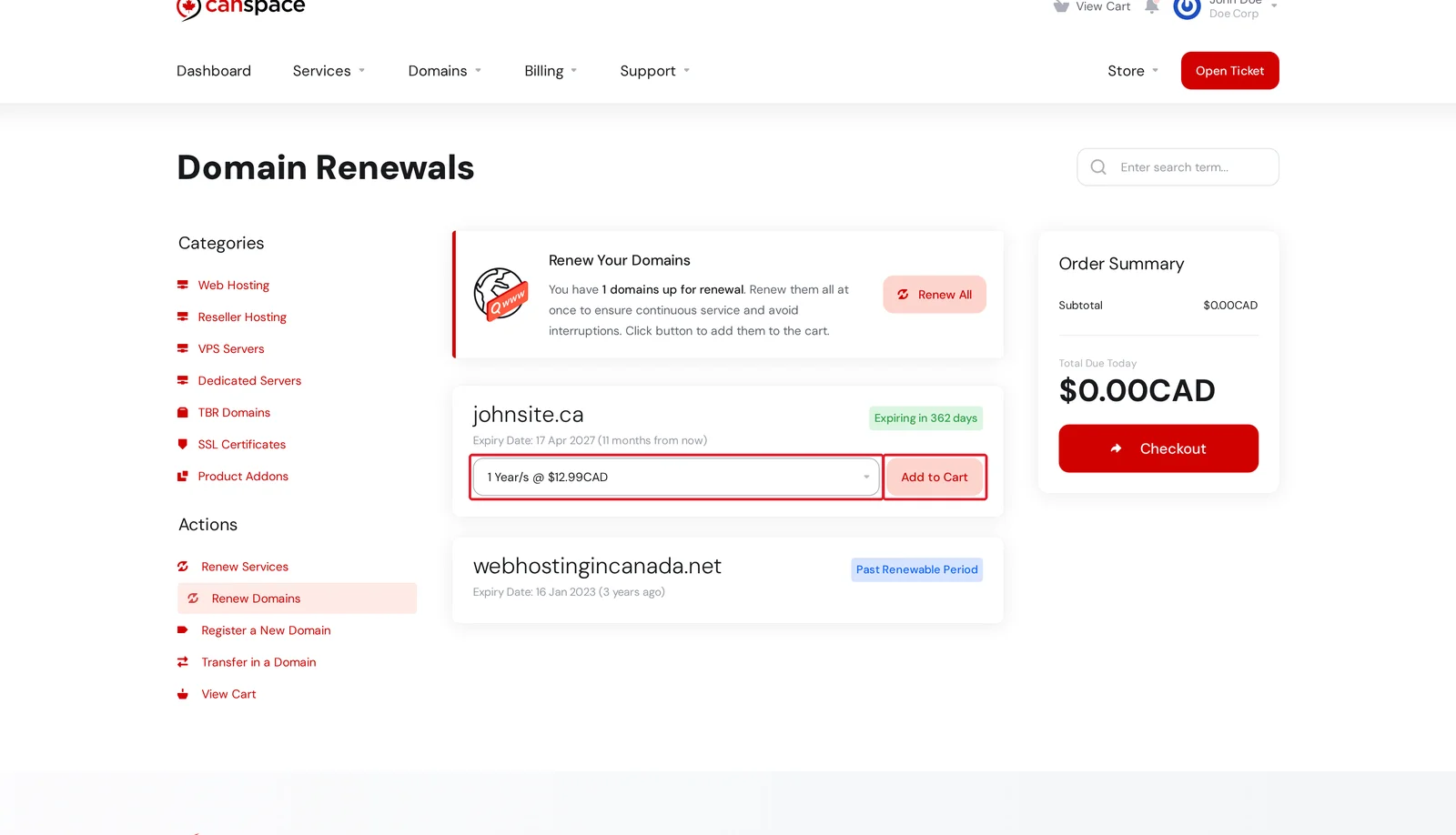
Log in to the client area and open Domains → Renew Domains. You'll see every domain on your account with its current expiry date and any time remaining.
-
For the domain you want to renew, choose a renewal period from the dropdown (1 through 10 years for most TLDs) and click Add to Cart.
-
Click Checkout in the Order Summary on the right, and complete payment. You'll receive a confirmation email once the renewal is processed. Most renewals take effect within a few minutes.
.ca renewal price, for example, stays the same whether you renew for 1 year or 10.Turn on auto-renew (recommended)
Auto-renew lets our billing system send you a renewal invoice automatically around 30 days before the domain expires. Provided payment is made (either via your card on file or by paying the invoice manually), the domain renews without any further action on your part.
-
From Domains → My Domains, click Manage on the domain you want to enable.
-
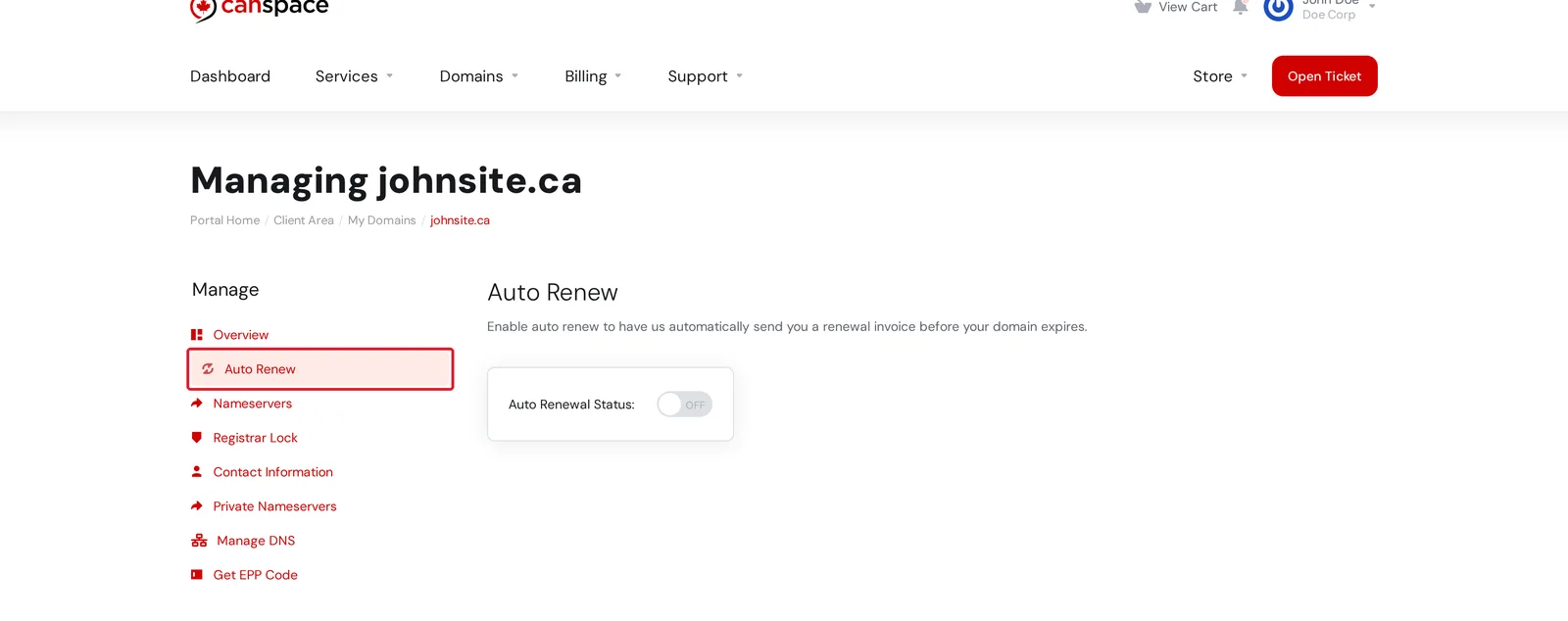
Open the Auto Renew tab in the left sidebar.
-
Flip the Auto Renewal Status toggle to ON. That's it — we'll now send you a renewal invoice automatically each year before the domain expires.
How much does renewing cost?
Renewal pricing varies by TLD (.ca, .com, .net, etc.) and is shown on the Renew Domains page before you add anything to your cart.
My domain has already expired — can I still get it back?
Yes, usually, depending on how long ago it expired. Most TLDs go through three phases after expiry:
- Grace period (0–15 days): renew as normal, same price. The domain is usually "parked" and may stop resolving, but is still yours.
- Redemption period (15–45 days): renewal is possible but requires paying a registry-level redemption fee. Open a support ticket and we'll initiate the redemption for you.
- Pending delete (45-60 days): the domain is about to be released to the open market. At this point, recovery may still be possible but urgent.
- After release: the domain is available for anyone to register. If you want it back, you can try to re-register it, but someone else may have claimed it already.
Exact timelines vary by TLD. If you missed a renewal, act quickly — the sooner we hear from you, the more options we have.
Related articles
- How do I enable or disable auto-renew for my domains?
- How do I update my credit card information?
- How do I register a new domain?
Still stuck? Open a support ticket


