
cPanel is where you manage the day-to-day of your hosting account — email accounts, databases, files, backups, SSL, and everything else. You can get into it in one click from your client area, no separate password required.
Steps
-
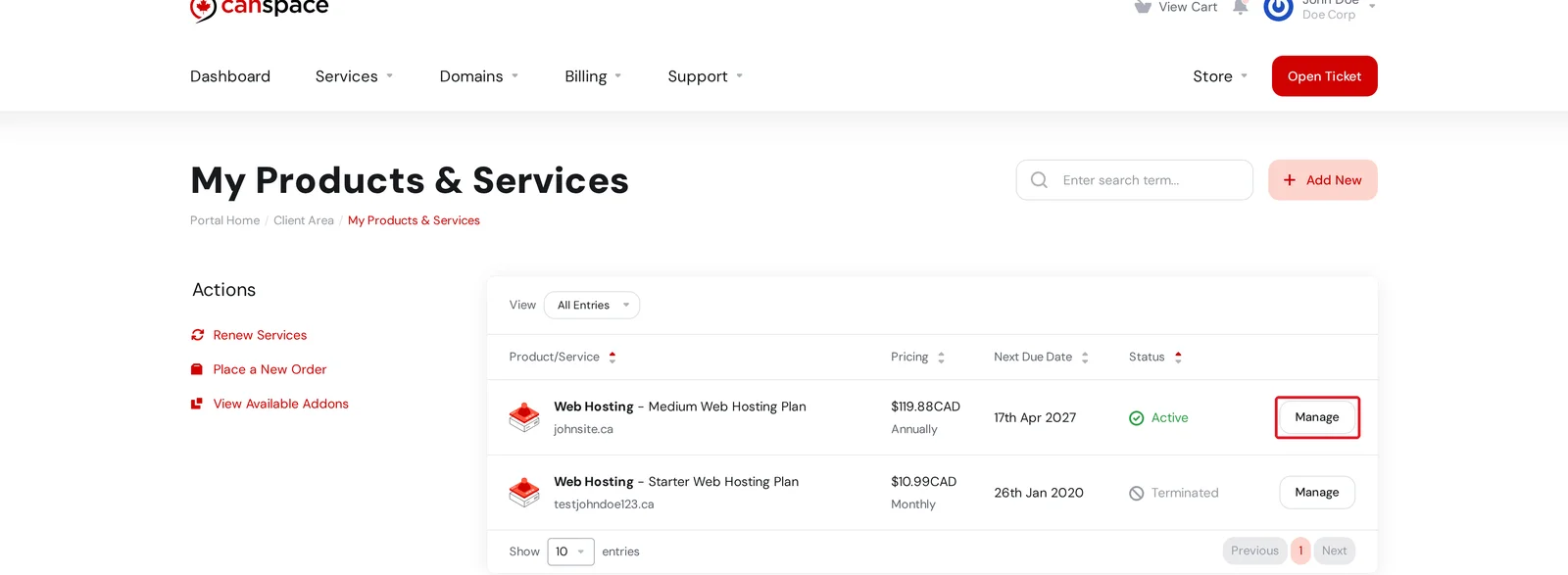
Log in to the client area and open Services → My Services. Click Manage beside the hosting plan you want to access.
-
On the Product Details page, click Log in to cPanel in the Actions menu on the left. You'll be automatically signed in — no cPanel password required.
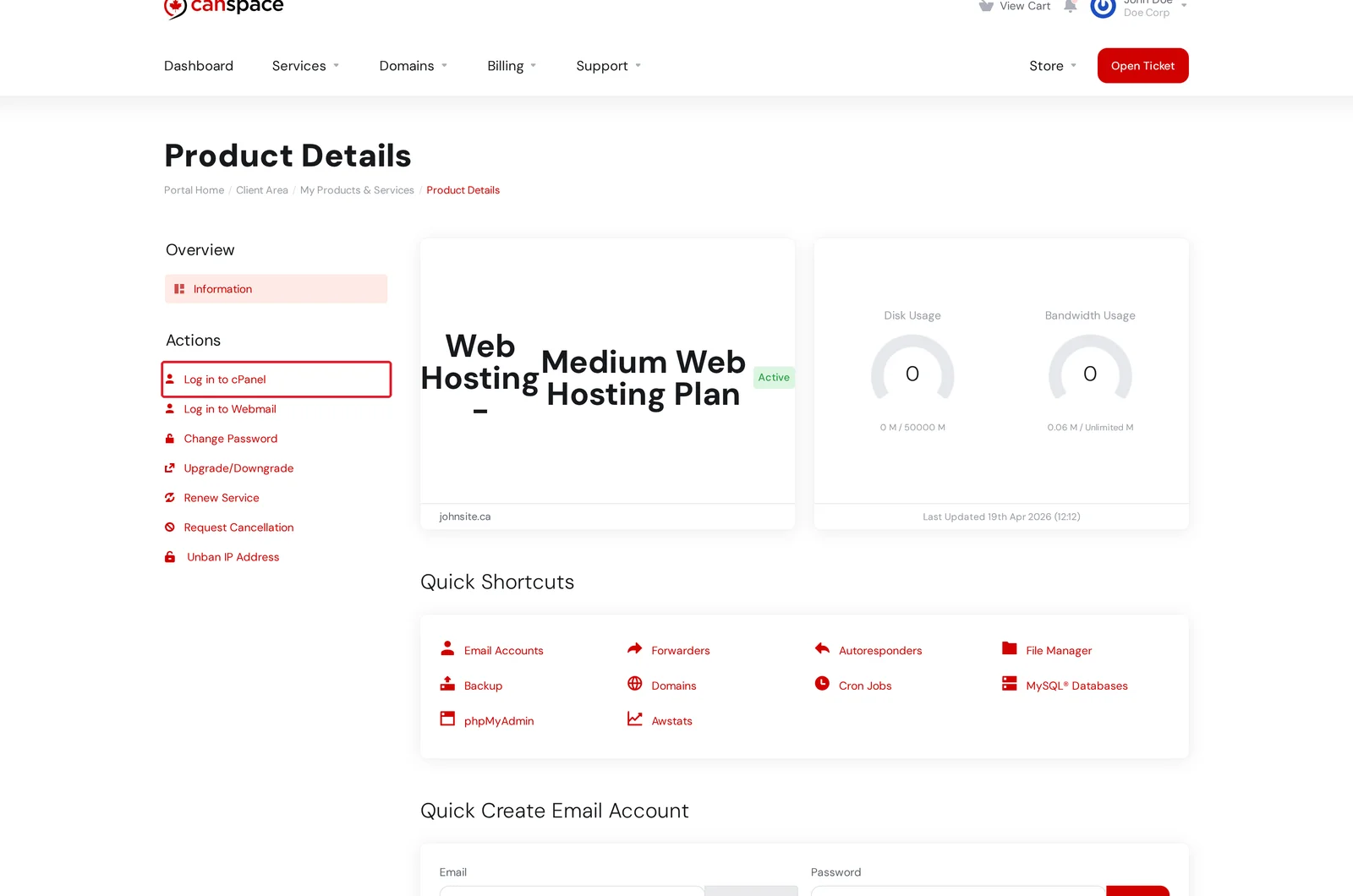
Shortcuts to common features
If you just need to do one specific thing — create an email account, open the File Manager, run phpMyAdmin — the Quick Shortcuts panel on the Product Details page has one-click links straight to each feature. Using a shortcut auto-logs you into cPanel and drops you on the right page.
https://yourdomain.com:2083 or at your hosting server's URL (shown in your welcome email). Use the cPanel username and password from that welcome email if you go in directly rather than through the client area.What you can do in cPanel
- Email — create email accounts, set up forwarders, configure autoresponders
- Files — upload and manage website files via the File Manager
- Databases — create MySQL databases, manage them with phpMyAdmin
- Domains — add addon domains, subdomains, redirects
- Security — review SSL status, manage SSH keys (on Medium and Professional plans)
- Metrics — see disk and bandwidth usage, view access logs
Can't find the Log in button, or getting logged out?
If clicking Log in to cPanel takes you to a login screen rather than the dashboard, your browser may be blocking third-party cookies, or the session expired. Try:
- Logging out of the client area and back in, then retrying
- Using a different browser or a private/incognito window
- Logging in directly at
https://yourdomain.com:2083with your cPanel username and password
Related articles
Still stuck? Open a support ticket


