
Webmail is the browser-based interface for reading and sending email from your CanSpace-hosted email accounts. It works from any device with a browser — no setup needed.
Option 1: From the client area
-
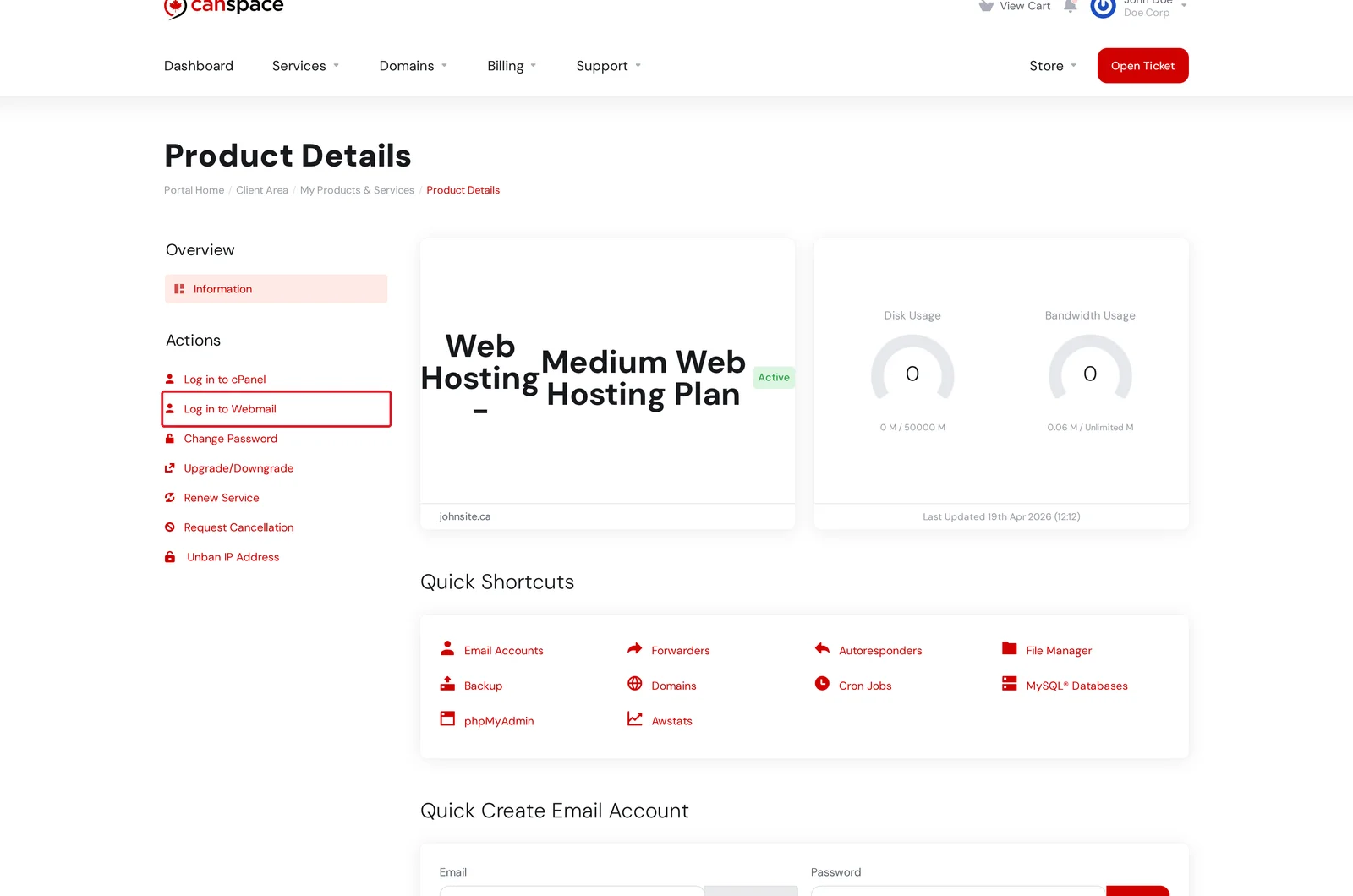
Log in to the client area and open Services → My Services. Click Manage beside your hosting plan.
-
On the Product Details page, click Log in to Webmail in the Actions menu. You'll be taken to the webmail login screen for your server — enter your email address and password.
Option 2: Direct URL
You can also access webmail directly in your browser, without going through the client area. Any of these URLs will work:
https://webmail.yourdomain.comhttps://yourdomain.com/webmailhttps://yourserver.canspace.ca:2096(replaceyourserverwith the hostname from your welcome email)
Enter your full email address as the username (e.g. [email protected]) and your mailbox password.
yourdomain.com/webmail) require DNS to be pointed at our servers. If you just signed up or recently changed nameservers, use the server hostname URL (yourserver.canspace.ca:2096) until DNS propagates.Forgot your email password?
The webmail password is your email account password — separate from your CanSpace client area password. To reset it, see How do I change my email password?
Prefer to use Outlook, Apple Mail, or Thunderbird?
Webmail is convenient from any browser, but most people set up a desktop or mobile email client for everyday use. See How to set up an email account on your device.
Related articles
- How do I create a new email account?
- How do I change my email password?
- Setting up email on Android, Mac, or Thunderbird
Still stuck? Open a support ticket


