
The Domains section of cPanel is where you add extra domains to your hosting plan, create subdomains, set up redirects, and edit DNS records.
What's in the Domains section
Domains (the main interface)
The primary domain manager — lists every domain currently attached to your hosting account and lets you add new ones. This replaces the older separate Addon Domains / Subdomains / Parked Domains tools.
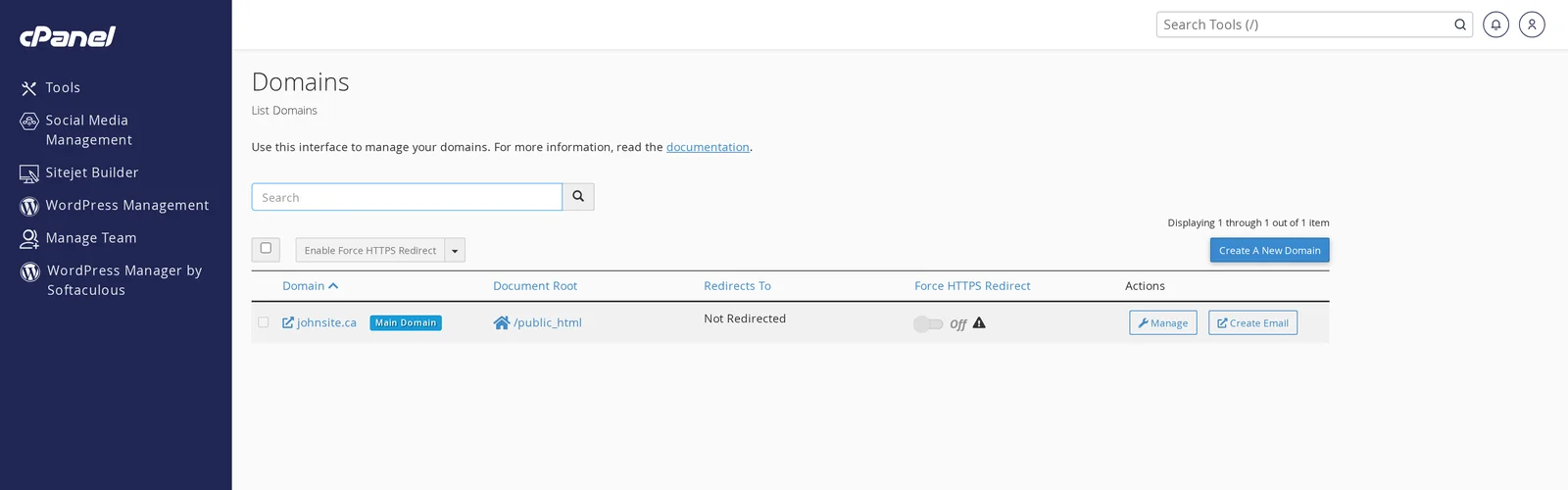
From here you can:
- Create a new domain — add an addon domain, an alias, a subdomain, or a temporary domain (all from one form). See Add another domain for a walkthrough.
- Manage any existing domain — change its document root, create an email address for it, or delete it.
- Force HTTPS — toggle automatic HTTP → HTTPS redirect for any domain with an SSL certificate.
Redirects
Create permanent (301) or temporary (302) URL redirects. Useful when you move a page, restructure URLs, or want all of http:// to redirect to https://www..
Zone Editor
Edit your domain's DNS records (A, AAAA, CNAME, MX, TXT, SRV, CAA, etc.) directly in cPanel — no need to go through the client area's DNS Manager.
The Zone Editor is the right place to add verification records for external services (Google Workspace, Microsoft 365, Mailchimp) or change MX records if you're using a third-party email provider.
dns1.canspace.ca / dns2.canspace.ca) instead, use the DNS Manager in the client area instead.Dynamic DNS
Set up a Dynamic DNS record — useful if you're hosting a service on a connection whose IP changes (a home server, for example). Most users won't need this.
How "Domains" replaces the old addon/subdomain/parked terminology
cPanel used to split these into three separate tools. In the current version, everything goes through the Domains page — when you add a new domain, cPanel figures out whether it's an addon, a subdomain, or an alias based on what you enter:
- Adding
newdomain.comwith its own document root → addon domain. - Adding
shop.yourdomain.com→ subdomain. - Adding
alternatename.comand sharing the same document root as your primary → alias (formerly "parked domain").
See Add another domain to your hosting account for which option to pick.
Related articles
Need help with a specific domain configuration? Open a support ticket


