
localhost (no quotes, no port number) as the MySQL server hostname in your WordPress, Laravel, Joomla, or any other application's database configuration.When you configure an application to connect to a MySQL database on your hosting account, you'll be asked for four things: the database hostname, database name, database username, and database password. The hostname is the only value that's the same for every database on every account — it's always localhost.
Why localhost?
Your website's code and its database live on the same server. localhost tells MySQL "connect to the database running on this same machine" using a fast local socket rather than going over the network. It's more efficient and more secure than a remote connection.
Where to find your database name, user, and password
You set these yourself when you create a database in cPanel. Log in to cPanel and open MySQL Databases (in the Databases section).
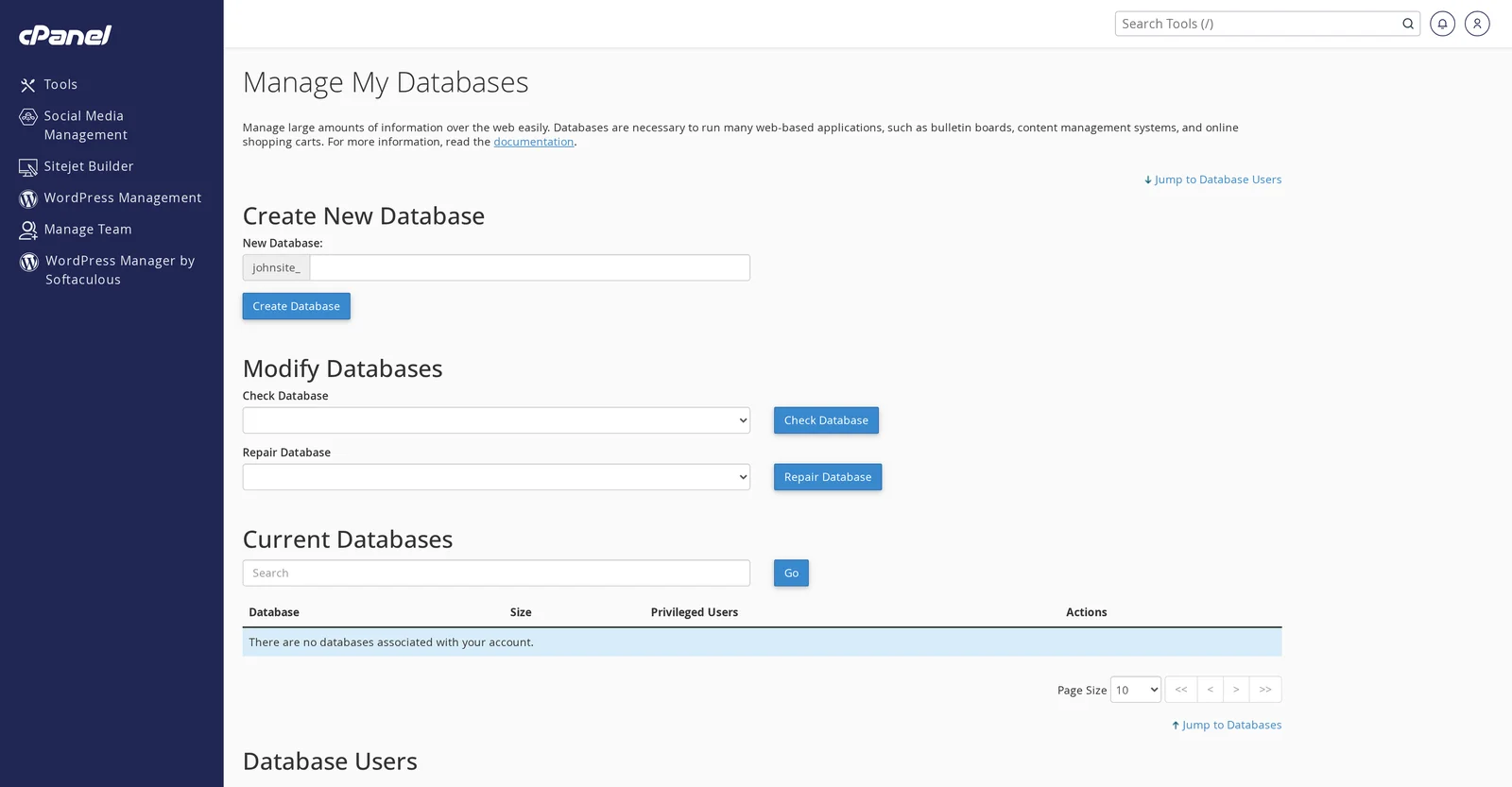
From this page you can:
- Create a new database (top section). The database name is automatically prefixed with your cPanel username and an underscore — e.g. if you enter
wordpress, the full database name becomesyouruser_wordpress. - Create a new database user (lower section) and assign them to a database with specific privileges.
- View, repair, or delete existing databases.
Sample WordPress wp-config.php values
define( 'DB_NAME',     'youruser_wordpress' );
define( 'DB_USER',     'youruser_wpuser' );
define( 'DB_PASSWORD', 'your-chosen-password' );
define( 'DB_HOST',     'localhost' );
Connecting from outside the server
Shared hosting does not allow remote MySQL connections from outside the server (port 3306 is blocked). This is a security measure — it prevents internet-wide credential stuffing attacks on your database.
If you need to manage your database from your computer, use one of these methods:
- phpMyAdmin — web-based, already installed. Accessible from cPanel → phpMyAdmin.
- SSH tunnel — available on Medium and Professional plans (requires SSH to be enabled on request). Creates a local tunnel that lets tools like Sequel Pro, DBeaver, or MySQL Workbench connect as if the database were on your computer.
- VPS or dedicated server — for unrestricted remote access, a VPS lets you configure MySQL to accept remote connections on any port you choose.
localhost even if the script is making the connection "remotely" from the client's perspective — the script runs on the same server as the database.Related articles
Can't connect to your database even with the right credentials? Open a support ticket


