
If you need to cancel a hosting plan, domain, or other service, you can request cancellation right from the client area. No phone call or ticket required.
Before you cancel
- Download anything you need. Once a hosting plan is cancelled, files, databases, and email are removed from the server. Take a backup first if you want your data.
- Decide on timing. You can cancel immediately (service ends right away) or at the end of your billing period (service stays active until your current paid period ends — recommended).
- Check related services. Your hosting plan and your domain are billed separately. Cancelling hosting does not cancel the domain, and vice versa.
Cancel a hosting plan
-
Log in to the client area, then go to Services → My Services. Click Manage beside the hosting plan you want to cancel.
-
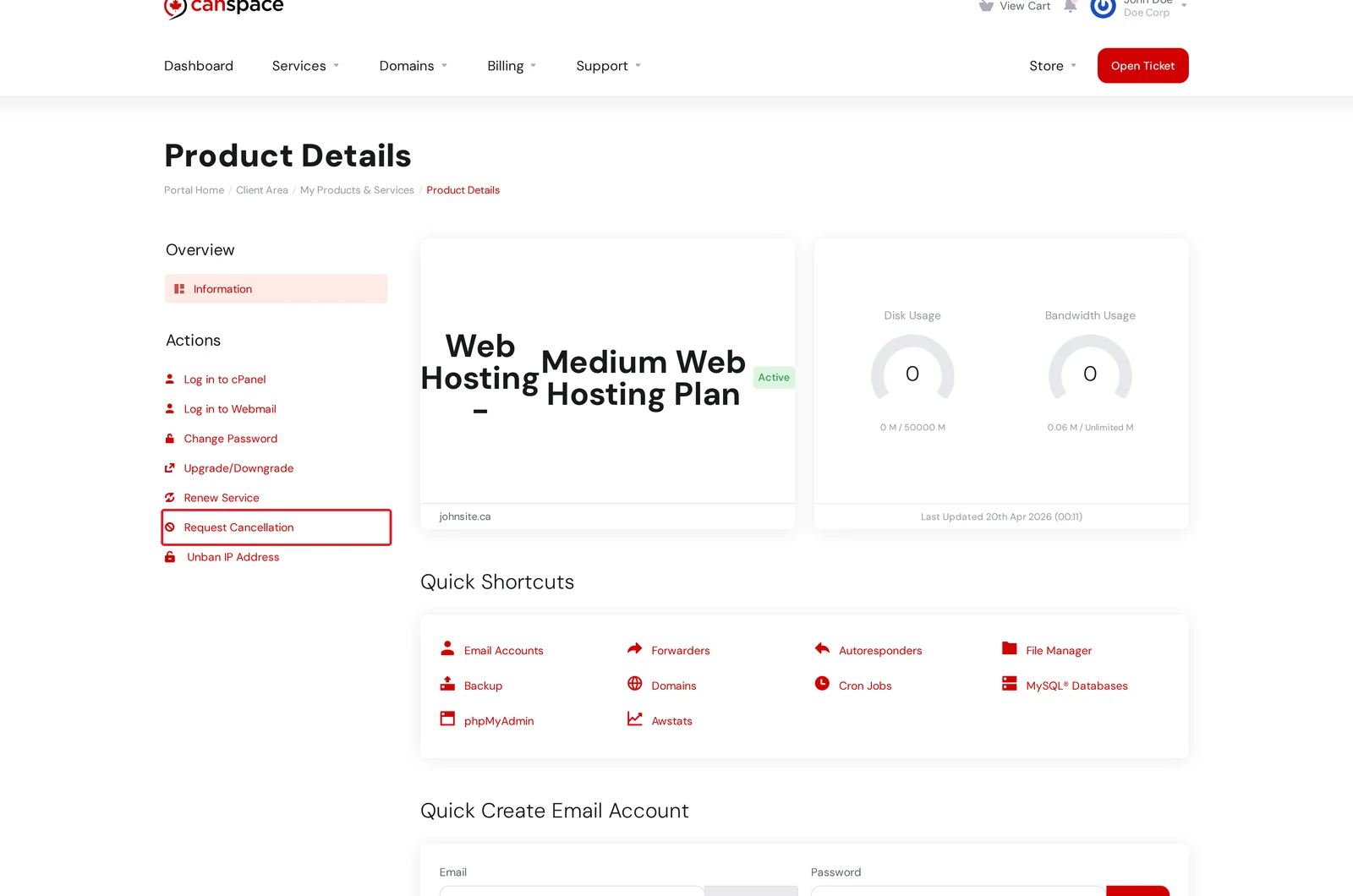
On the Product Details page, click Request Cancellation in the Actions menu on the left.
-
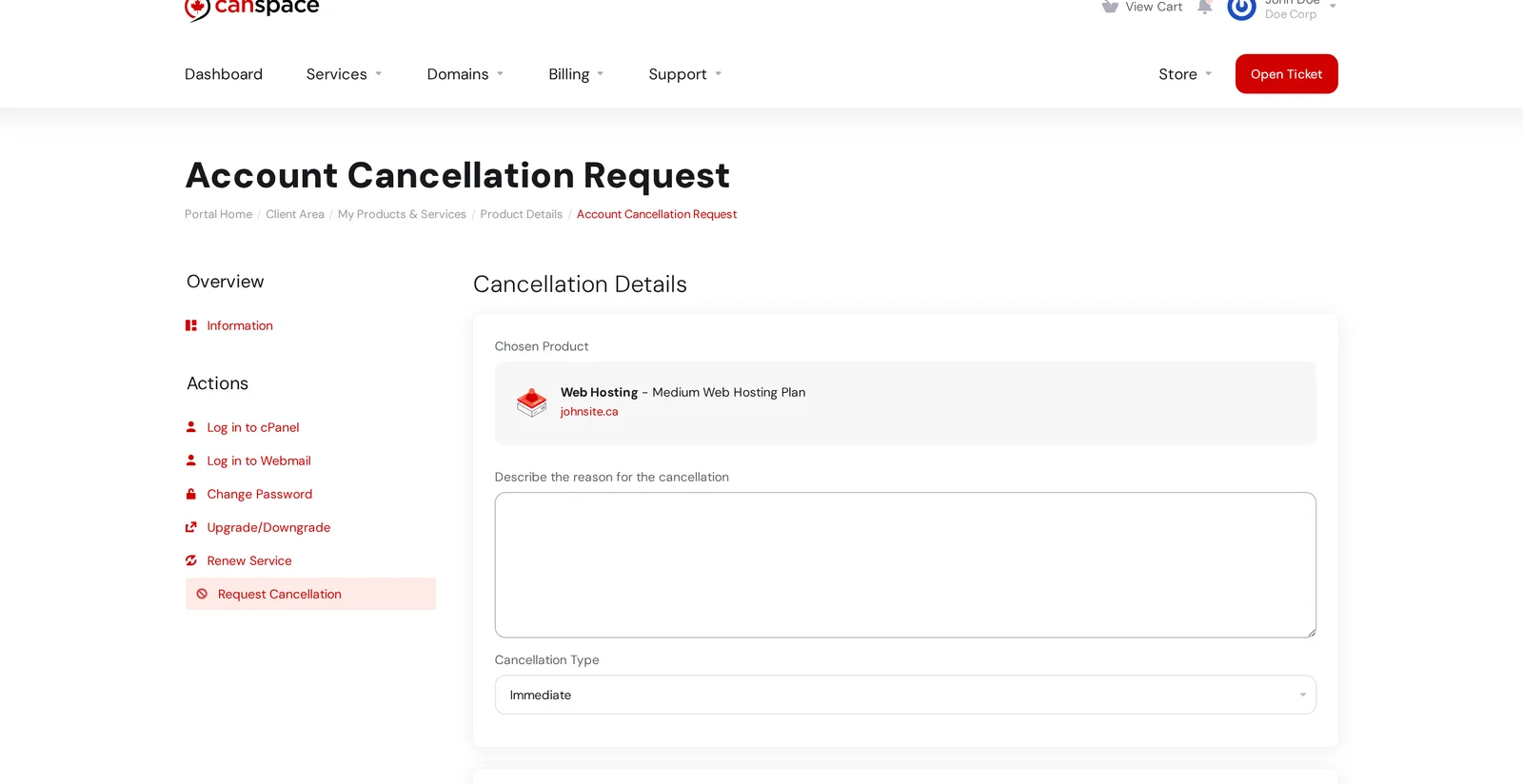
Fill in the cancellation form:
- Describe the reason for the cancellation — optional, helps us improve.
- Cancellation Type:
- End of Billing Period — service runs until your paid term ends, then stops. Recommended unless you have a specific reason to cancel immediately.
- Immediate — service ends right away. Any unused time is not refunded.
-
Scroll down and click Request Cancellation to submit.
You'll receive a confirmation email, and the cancellation is processed automatically on the effective date.
Stop a domain from renewing
Cancelling a domain is a separate action — it isn't tied to your hosting plan. To stop a domain from renewing at its expiry date:
- Go to Domains → My Domains.
- Click Manage beside the domain.
- Click Auto Renew in the left sidebar and switch auto-renewal off.
The domain stays registered and in your account until its expiry date, then expires naturally. If you want the domain deleted earlier, open a ticket and we'll handle it.
Cancel an add-on (SSL, dedicated IP, etc.)
Add-ons attached to a hosting plan are automatically cancelled when the parent hosting plan cancels at the end of its billing period. If you want to drop just the add-on and keep the hosting, open a ticket — some add-ons are tied into your plan configuration and need a manual step.
Refunds
We offer a 30-day money-back guarantee on hosting plans. If you cancel within 30 days of your original purchase, open a ticket after submitting the cancellation and we'll process the refund.
Beyond 30 days, hosting plans are not eligible for a refund — the plan stays active until the end of the current billing period regardless. Domain registrations, renewals, and SSL certificates are non-refundable at any stage, since we incur registrar and certificate costs at the point of purchase.
Changed your mind?
You can withdraw a pending cancellation request at any time before its effective date. From Services → My Services → Manage on the affected plan, you'll see a Pending Cancellation notice with a Withdraw option.
Related articles
Need help with something specific, or want us to process it manually? Open a support ticket


