
Upgrading or downgrading your hosting plan takes about a minute in the client area. Your files, databases, email, and configuration stay exactly as they are — only the account's resource limits change.
Before you change plans
- Nothing breaks. Your site stays online during the change — there's no migration, no downtime, no DNS change. We update the account's limits in place.
- Billing is prorated. If you upgrade mid-cycle, you'll pay the price difference for the remainder of the current period. If you downgrade, the lower rate takes effect at your next renewal.
- Your payment method on file is charged automatically for the prorated difference on upgrades. You'll see the invoice immediately after confirming.
Upgrade or downgrade your plan
-
Log in to the client area, then go to Services → My Services and click Manage beside the hosting plan you want to change.
-
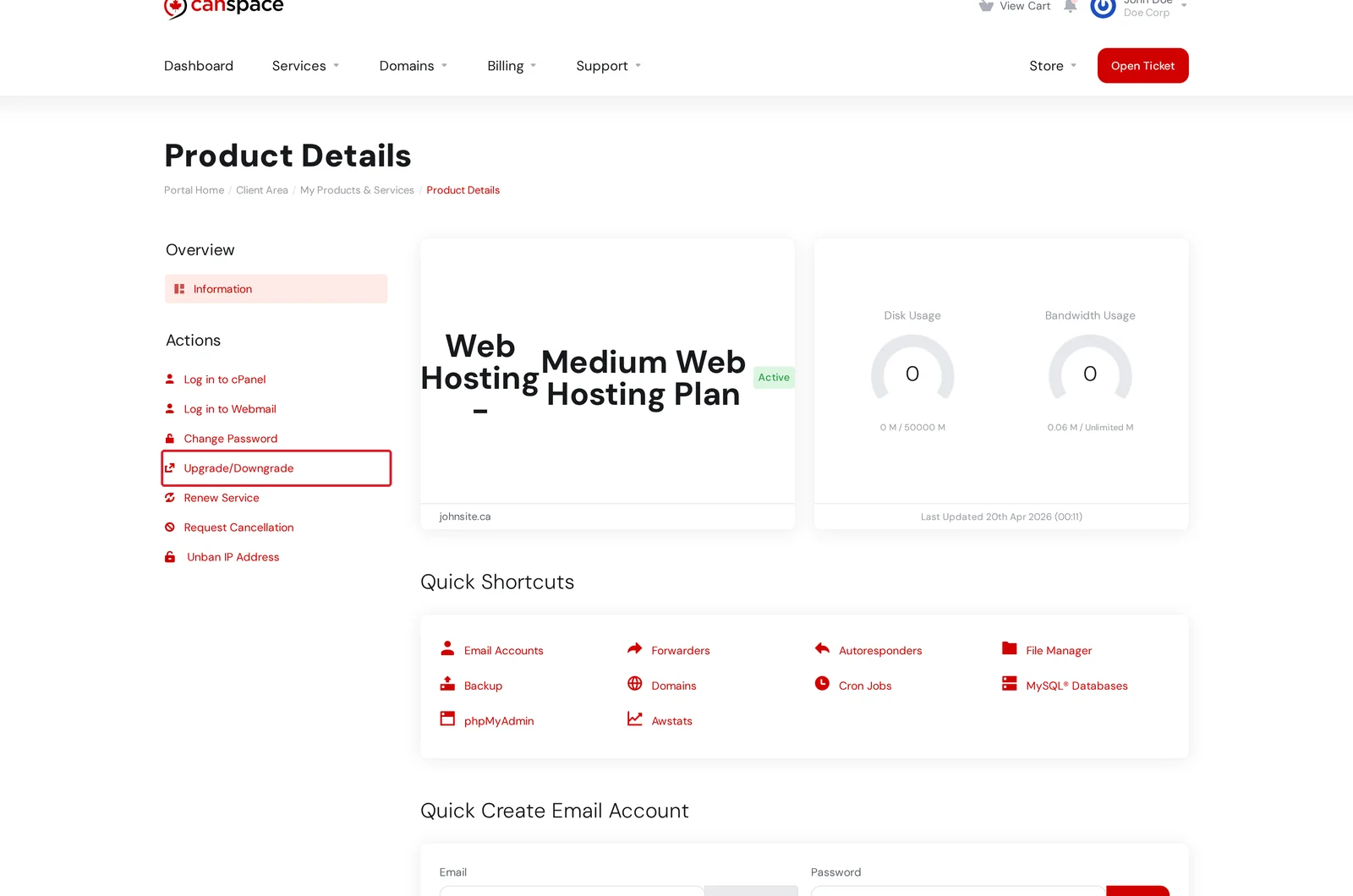
On the Product Details page, click Upgrade/Downgrade in the Actions menu on the left.
-
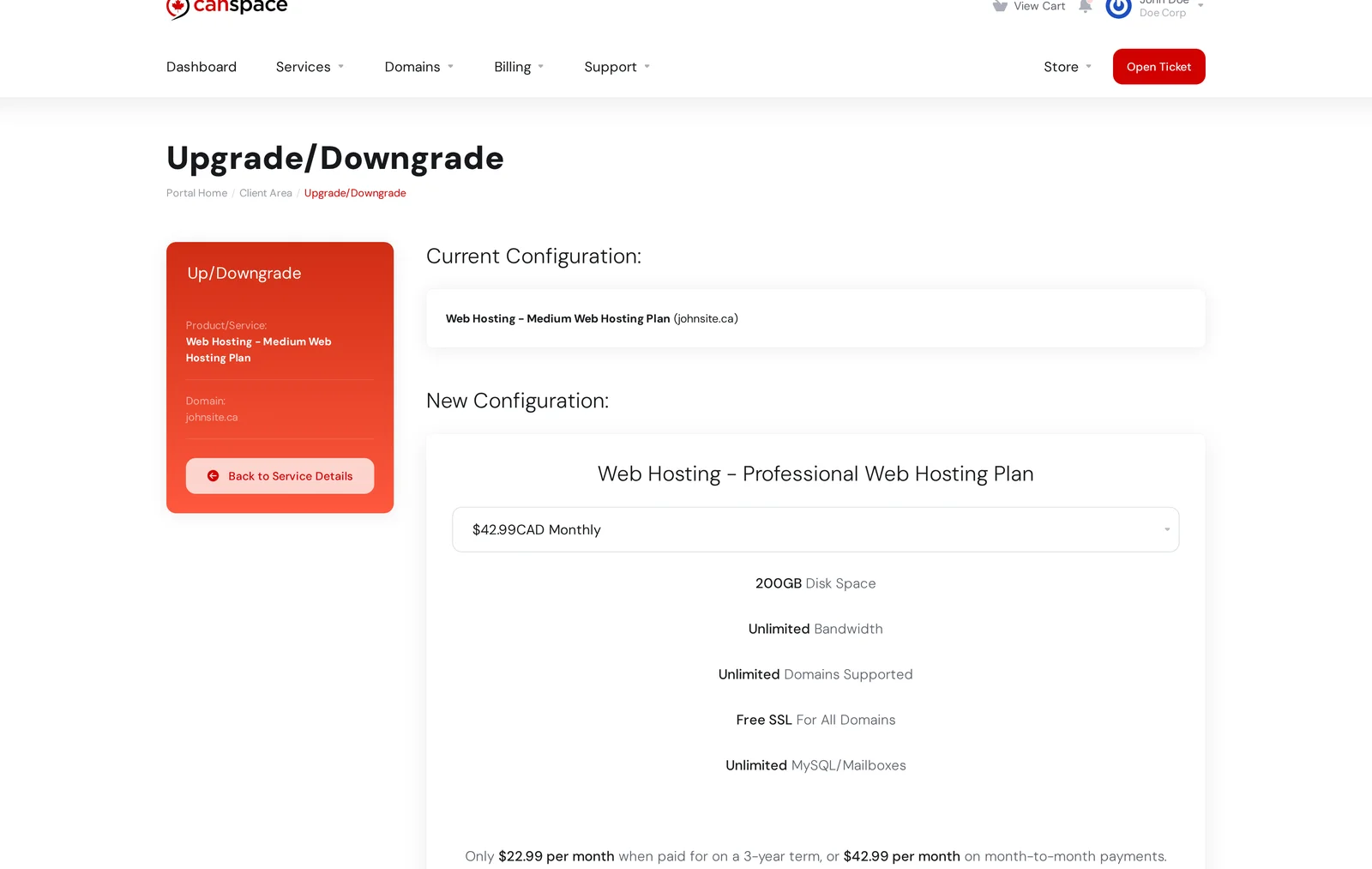
On the Upgrade/Downgrade page, pick your target plan under New Configuration. The page shows what's included at each tier so you can compare.
-
Pick a billing cycle for the new plan (monthly, annual, 3-year, etc.). Longer cycles get the best per-month pricing.
-
Click Click to Continue at the bottom. WHMCS generates the prorated invoice covering the remainder of your current cycle at the new rate. If you have a card on file, the charge is taken automatically and the plan change applies within a few minutes.
You'll get a confirmation email once the change is live. There's nothing you need to do on your end.
Which plan should I pick?
Our shared hosting tiers (from smallest to largest): Starter, Medium, Professional. Here's when to move between them:
- Upgrade from Starter to Medium if you're hitting the 5 GB disk quota, need more than 5 databases or 10 email accounts, or want SSH / Git / Node.js / Ruby access.
- Upgrade from Medium to Professional if you need more storage than 50 GB, want Comodo SSL on all domains (not just the primary), or want access to our WAF and dedicated support rep.
- Move to a VPS if you're running into CPU/RAM limits on shared hosting, need to host more than a handful of busy sites, need PostgreSQL or Docker, or want root access. We can migrate your account to a VPS at no charge.
Downgrading: check your usage first
If you're downgrading and your current usage exceeds the new plan's limits (for example, you have 15 email accounts but the new plan allows 10), the downgrade can't be processed automatically. You'll either need to reduce usage first, or open a ticket and we'll help.
Switching to a longer billing cycle
You can combine a plan change with a switch to a longer billing term (annual or 3-year) to get our best per-month pricing. The new price applies to the whole remaining period, and prorated credit from your current cycle is applied to the new invoice.
Related articles
Questions about the right plan for your needs? Open a support ticket


